

In this article
Good product photography shows the item with accurate colour, from several angles, with details and a sense of scale, in a consistent sequence across the whole catalogue. For most online shops, that means a main image on a neutral background, three to six supporting images (details, use, packaging) and files optimised to load quickly on mobile.
In a physical shop, customers pick the product up, feel the texture and see the colour in daylight. Online, photography has to do all of that on its own. This guide, drawn from our photography team’s experience, helps small brands and shops in central Portugal decide what to photograph, how, and with what resources.
The images every product needs
Think about the questions customers would ask if they had the product in front of them. Each image should answer one of them.
- Main image: the whole product, from the front or at three-quarters, on a neutral background. This is the one that appears in listings, in search and in ads.
- Other angles: back, side, top, base, depending on the product.
- Details: fabric texture, finish, stitching, label, ingredients.
- Scale: the product in a hand, next to a familiar object or in use, to show its real size.
- Context or lifestyle: the product being used, on a table, in a home, being worn. This is the image that helps customers picture the product in their own lives.
- Variants: each colour or finish photographed, not digitally recoloured.
- Packaging, if it’s part of the experience or the product is likely to be a gift.
A short video, just a few seconds long, rotating the product or showing it in use, complements the photos very well for products where movement or volume matters.
White background or lifestyle photography?
Both, for different purposes.
White or neutral background
- Keeps the catalogue consistent and easy to compare.
- Is the format expected on marketplaces and in many product ads.
- Highlights shape and colour without distractions.
Google Merchant Center’s rules, for example, require the main image to show the product clearly, without watermarks or promotional text over it.
Lifestyle photography
- Tells a story and conveys the brand’s style.
- Works very well on social media, banners, newsletters and category pages.
- Helps customers understand scale and use.
The combination we recommend: a main image on a neutral background, one or two lifestyle images per product, and a series of lifestyle images for brand communication.
Light: the factor that matters most
Light determines the quality of a product photo more than the camera does.
- Soft, diffused light avoids harsh shadows and reflections. A large window with a white curtain is already a good light source.
- A single main light source and a reflector (even a sheet of white card) to soften shadows on the opposite side.
- Never mix lights of different colours, such as daylight and warm bulbs, because the product’s colour will come out wrong.
- Shiny products (glass, metal, glazed ceramics) need very diffused light and attention to reflections.
- Consistency: the same light, the same angle and the same distance for the whole catalogue.
Colour accuracy: what prevents returns
If a customer receives a jumper darker than the one they saw on screen, they feel misled. A few simple rules reduce the problem:
- Use a neutral grey card or a colour chart in the first photo of each series, to set the white balance correctly when editing.
- Edit on a calibrated screen, or at least compare with the real product beside you.
- Avoid filters that change colours. Editing should correct, not embellish.
- In the description, name the colour in words: “navy blue”, “bottle green”, “sand beige”.
Do it yourself or hire a photographer?
When doing it in-house makes sense
- Catalogues with many similar products and frequent new arrivals.
- Small products without tricky reflections.
- Someone on the team with the time and care to maintain the standard.
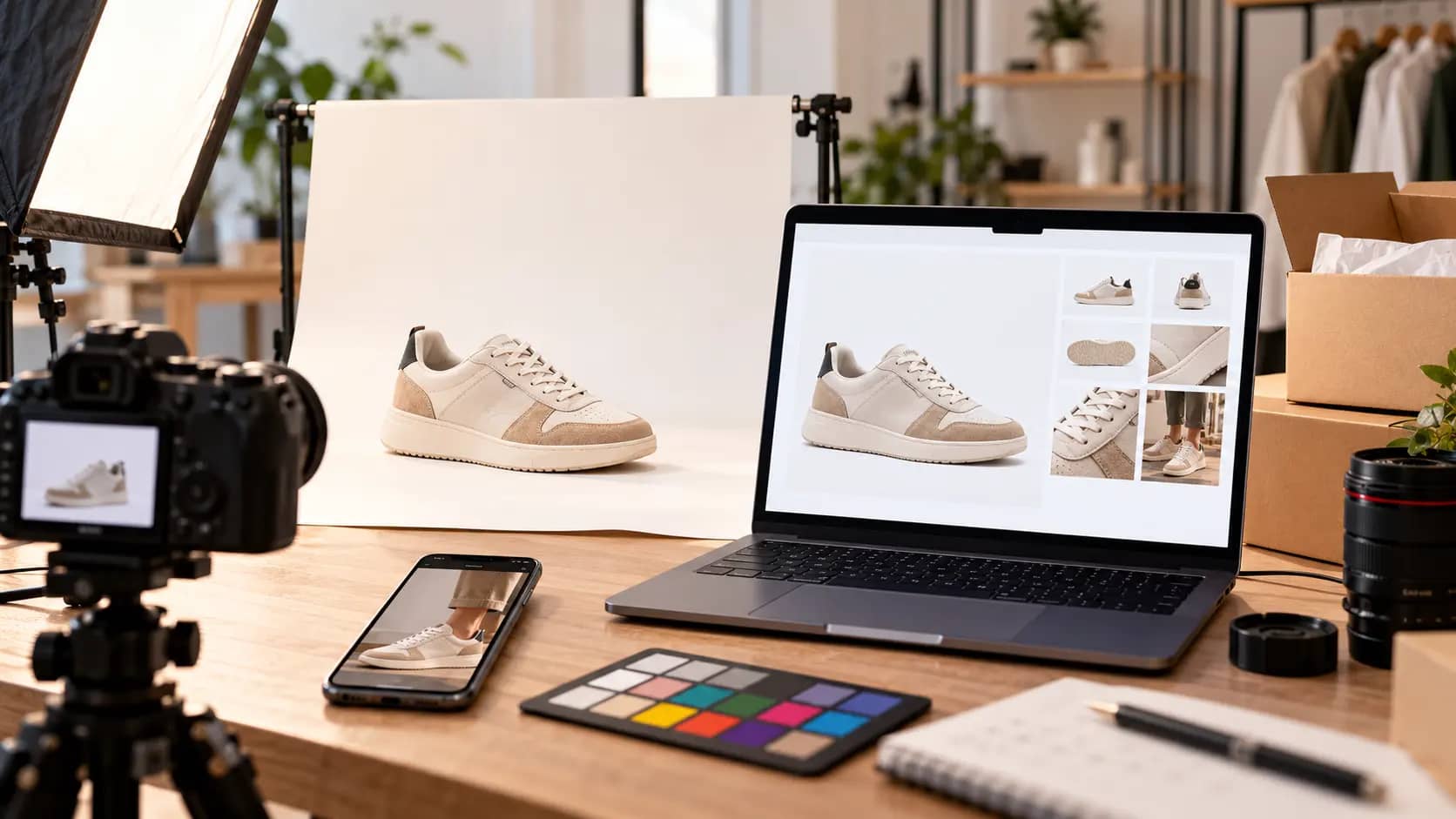
In that case, invest in a small studio: a table, a curved white backdrop, one or two continuous light sources and a tripod. A recent smartphone on a tripod, with good light, already produces usable images for many products.
When it pays to hire
- When launching the shop or a collection, to set the visual standard.
- Difficult products: jewellery, glass, metal, food, textiles with fine textures.
- Lifestyle photos involving models, locations or styling.
- When the image is central to the buying decision and to the brand.
A mixed approach works well for many SMEs: a professional photographer sets the standard and takes the lifestyle images; the in-house team photographs new products day to day following that standard. Take a look at our photo and video service, in the studio or on your own premises.
Editing and preparing images for the web
A perfect photo can still spoil a shop if it isn’t prepared for the web.
Editing
- Cut-out and a uniform background on the main images.
- Colour and exposure correction, the same for the whole series.
- The same framing and margins across the catalogue, for a clean grid.
- Removal of dust and small imperfections, without altering the product.
Optimisation
- Suitable dimensions: large enough for zoom, but no bigger than necessary.
- Modern formats, such as WebP or AVIF, which greatly reduce file size with no visible loss.
- A consistent aspect ratio (for example, square or 4:5) across the catalogue.
- Lazy loading for images that aren’t at the top of the page.
Heavy images are one of the main causes of shops being slow on mobile. We explain the impact in our guide to Core Web Vitals.
For Google
- A descriptive file name:
navy-merino-wool-jumper.webpinstead ofIMG_4521.jpg. - Alt text that describes the product and the variant, useful for accessibility and for image search.
- Original images: your own photos set your shop apart from all the others using the supplier’s images.
Pre-publication checklist
- Main image on a neutral background, with the product well centred.
- At least three supporting images per product.
- Colour true to the real product, checked side by side.
- Every variant photographed.
- The same aspect ratio and framing across the catalogue.
- Optimised files, with descriptive names and alt text.
Photography is only one part of a shop that sells. If you’re choosing a platform, read our comparison of Shopify and WooCommerce or take a look at our e-commerce service. We work with brands and shops in local retail and SMEs across the region.
Frequently asked questions
Can I use the supplier’s photos?
You can, if you have permission, but your shop will look the same as every other one selling that product, on Google too. Your own photos set the shop apart, show the product as the customer will receive it and build trust. A good option is to start with the supplier’s images and replace them, beginning with your best-selling products.
How many photos should each product have?
Generally between four and eight: a main image on a neutral background, other angles, details, a scale or in-use image and, where it makes sense, the packaging. More expensive or more technical products justify more images and a short video, because customers need more information to decide.
Is a phone good enough to photograph products?
For many products, yes, as long as you have good diffused light, a tripod, a clean background and careful editing. The limits show up with reflective products, very fine details or more elaborate lifestyle shots. There, a camera, suitable lenses and professional lighting make a visible difference.
What size should images be on an online shop?
Large enough for customers to zoom in and see details, but optimised so they don’t slow the page down. Keep a high-resolution version as the original and let the platform or website generate lighter versions in modern formats for each screen. Check the dimensions your platform recommends.

Fahd Guitouni
Photo and Video